
Applies to:
- Variphy Administrators.
- System Administrators.
- IT teams responsible for platform connectivity and licensing.
Common Causes or Issues
- Validating cluster connectivity.
- Verifying platform licensing.
- Troubleshooting communication issues between Variphy and a cluster.
- Confirming system health during support investigations.
How to Run a Cluster Check in Variphy
- Log in to your Variphy web interface using an Administrator level login.
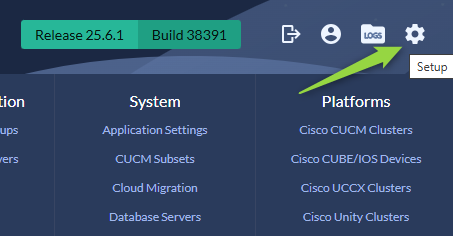
- Navigate to the System Settings using the gear icon on the top right.
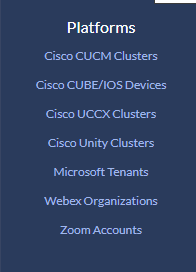
- From the system menu, select the appropriate platform to check.
- Once in the Platform Configuration menu, select the check box to the left of the cluster.
- Click Check to run the Cluster Check.
Still Need Help?
Email our support team at support@variphy.com or click the button below to access our ticket portal.
Please provide details about your question or issue, including any applicable screenshots, reports, or Variphy application log files.
