
Applies to:
- Webex Contact Center supervisors and agents with dashboard access.
- IT administrators customizing real-time monitoring tools.
Common Causes or Issues
- When users need real-time visibility into CSQ (Contact Service Queue) performance.
- When there’s a need to create a customized dashboard with clear visual metrics.
- When users want to monitor stats like Calls Waiting, On Hold, or Total Calls at a glance.
Interactive Walkthrough
How to Set Up Block View in Webex Contact Center
1. Add a New Widget.

2. Select the Platform and Widget Type.
A. Choose the Webex platform.
B. Choose the Webex Contact Center Sub-Feature
C. Select Real-Time CSQ Activity for widget type.
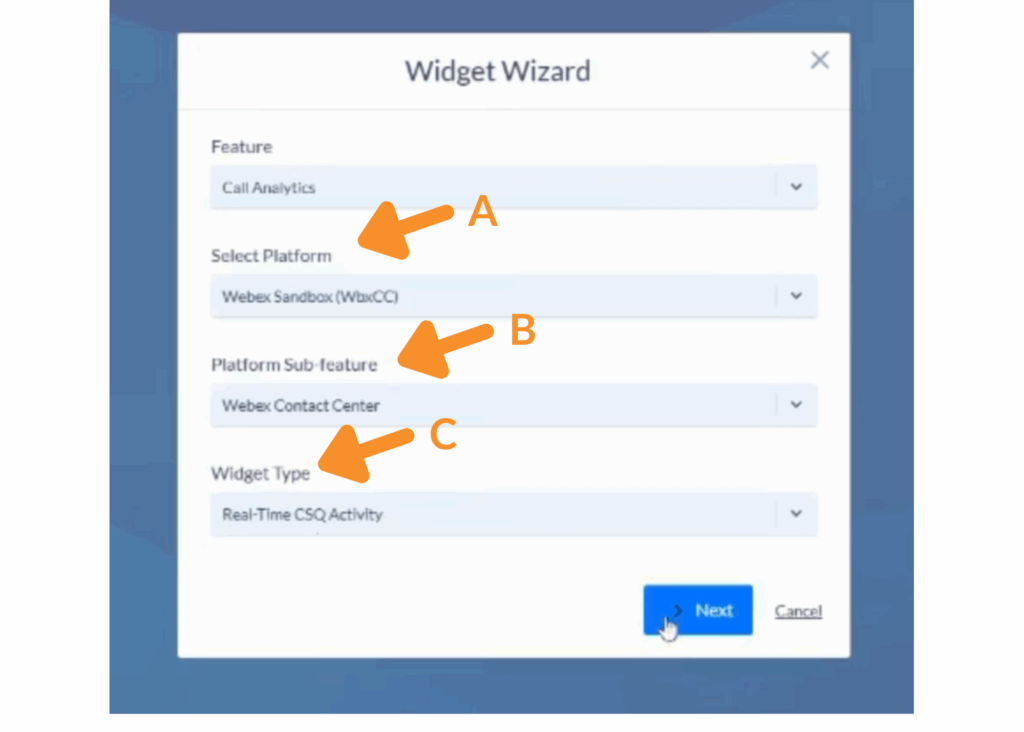
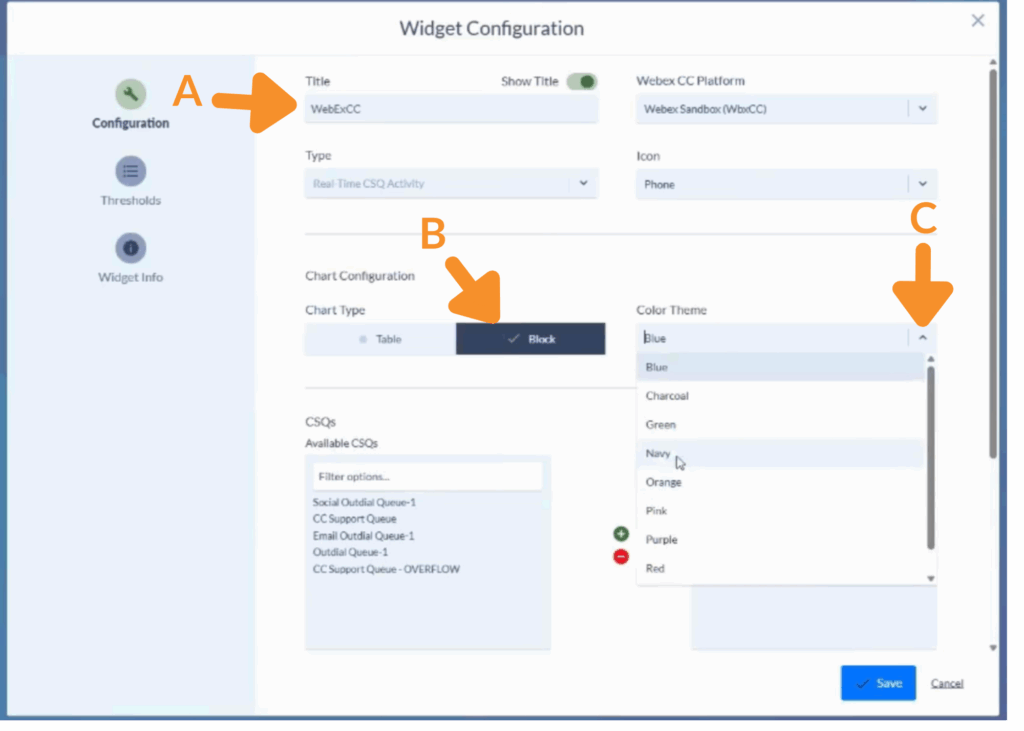
3. Configure Widget Settings.
A. Enter a descriptive title for the widget.
B. Set Chart Type to Block.
C. Assign a consistent color theme for better visual hierarchy.
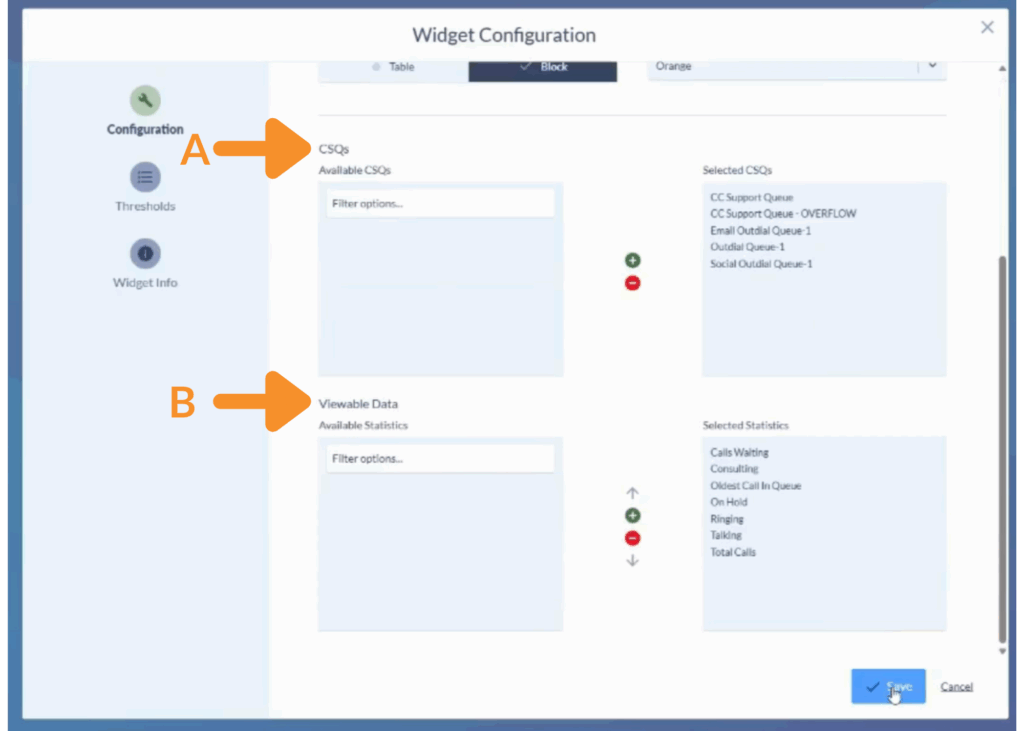
4. Choose Data to Display.
A. Select one or more CSQs you wish to monitor.
B. Choose metrics in Viewable Data such as Calls Waiting, On Hold, and Total Calls.
5. Arrange and Refine the Widget.
A. Drag to reposition the widget on the dashboard.
B. Resize for maximum visibility.
C. Use the arrow inside the widget to cycle through multiple stats.
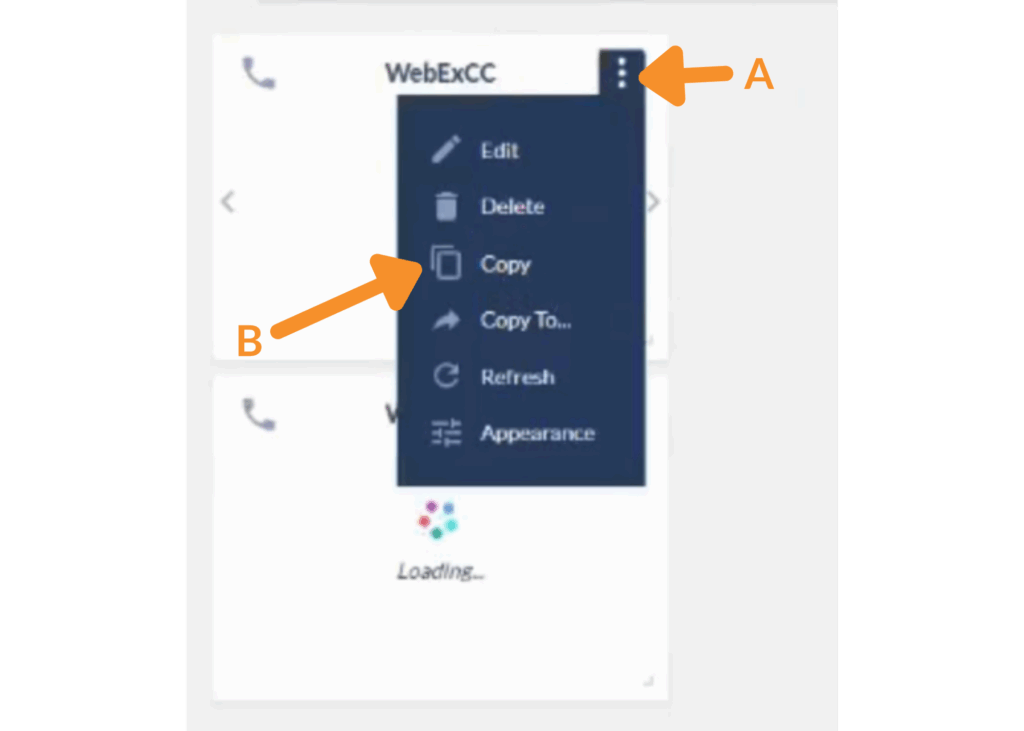
6. Copy or Duplicate Widgets.
Still Need Help?
Email our support team at support@variphy.com or click the button below to access our ticket portal.
Please provide details about your question or issue, including any applicable screenshots, reports, or Variphy application log files.
