
Applies to:
- Variphy users with Cisco CUCM integrations.
- Administrators managing Hunt Pilot real-time widgets.
- Teams monitoring hunt group activity and agent login status.
Common Causes or Issues
- Display real-time call activity (Idle, Talking, Alerted).
- Add Call Status, Details, and Duration fields to a widget.
- Enable agent or phone login/logout directly from a dashboard.
- Improve visibility into Hunt Pilot activity without relying on registration-only views.
Interactive Walkthrough
Steps
How to Configure Real-Time Hunt Pilot Call Status Fields
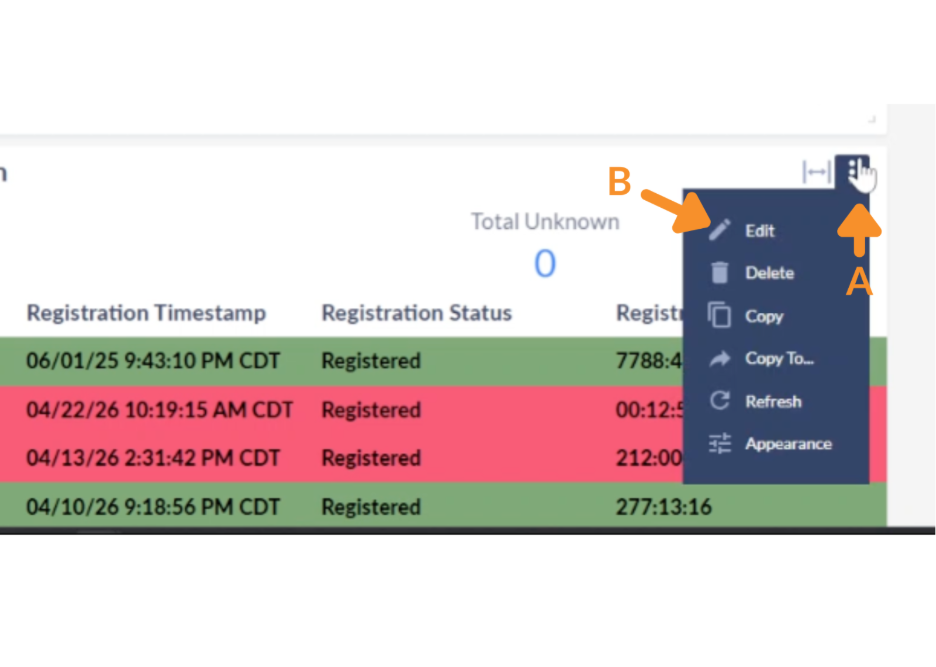
1. Open Widget Settings.
A. Open the options menu (three dots) on an existing Hunt Pilot widget.
B. Select Edit.
2. Add Call Status Fields.
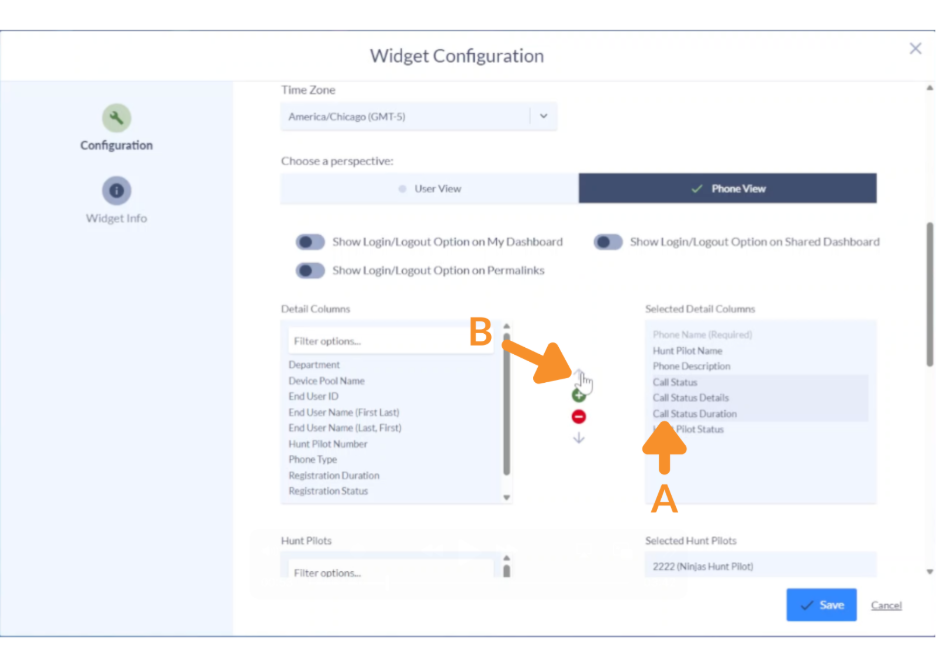
A. Select the following fields from the left panel:
- Call Status.
- Call Status Details.
- Call Status Duration.
B. Click on the green (+) button.

3. Reorder Fields.
A. Select the desired fields.
B. Use the up/down arrows to position them.
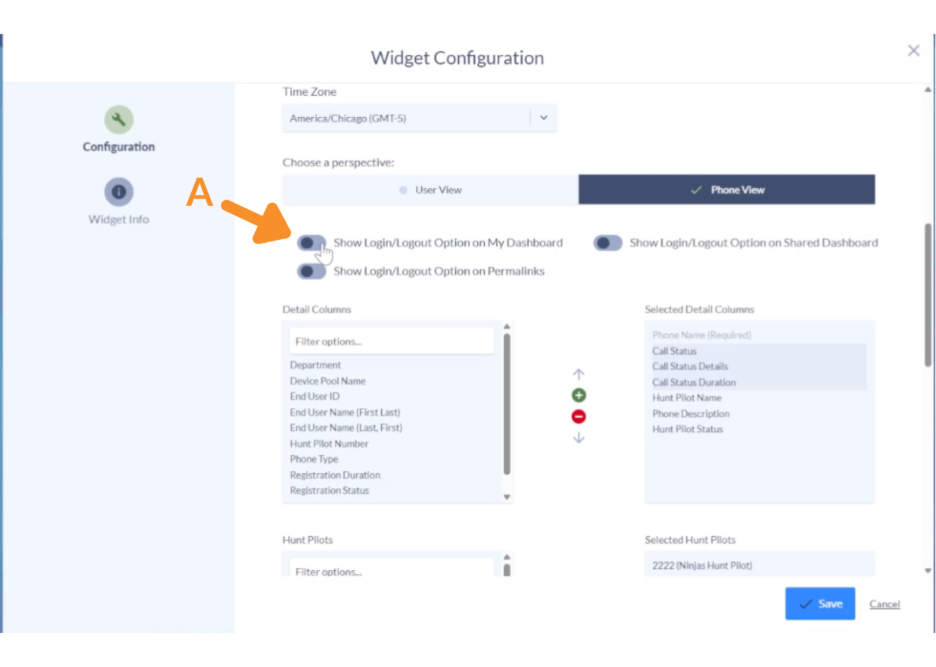
4. Enable Login/Logout (Optional).
A. Enable the Login/Logout feature to allow direct control of phones or agents.
This can be applied to:
- Dashboard owner view.
- Permalink dashboards.
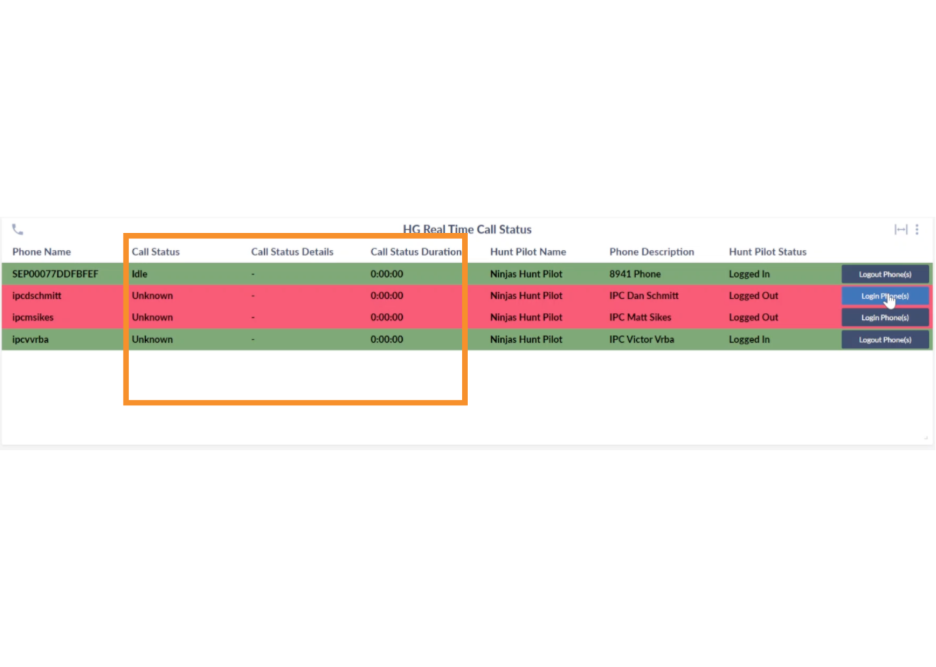
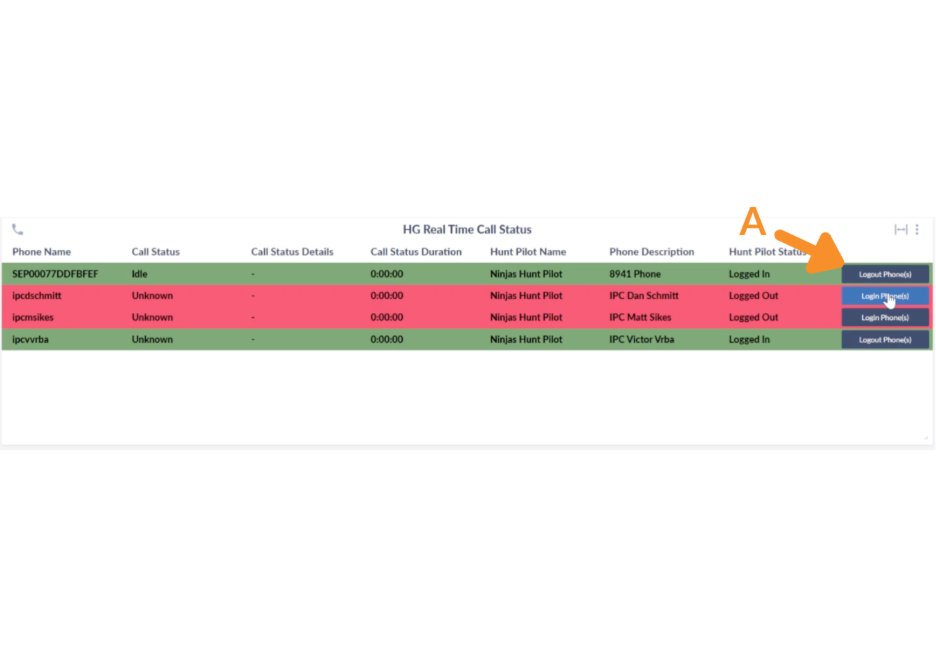
Once configured, the widget will display:
- Real-time Call Status (Idle, Talking, Alerted).
- Call Details (inbound status, caller ID, etc.).
- Duration of the current state.
5. Manage Agent Login State.
A. If enabled:
- Click Login Phone to log in an agent.
- Click Logout Phone to log out an agent.
The widget will immediately reflect the updated status.
Still Need Help?
Email our support team at support@variphy.com or click the button below to access our ticket portal.
Please provide details about your question or issue, including any applicable screenshots, reports, or Variphy application log files.
