
Applies to:
- Organizations using the Colleen AI Voice Agent to answer inbound calls.
- Administrators configuring how their agent greets callers.
- Teams that want every caller to hear a branded, consistent welcome.
Common Causes or Issues
- Set the exact greeting callers hear as soon as your agent answers.
- Match the greeting to your brand, department, or line of business.
- Update the greeting at any time without rebuilding your agent.
- Leave the greeting blank if you’d rather let the caller speak first.
Interactive Walkthrough
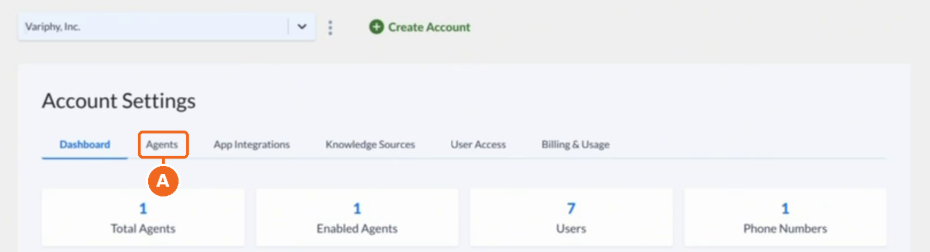
1. Open the Agents tab.
A. In the Colleen AI Voice Agent portal, go to Account Settings and click Agents.
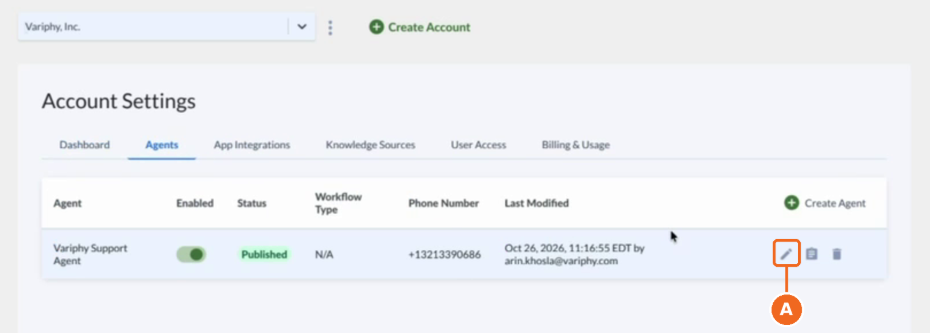
2. Edit your agent.
A. Find the agent you want to update.
B. Click the pencil icon in that agent’s row to open Configure Agent.
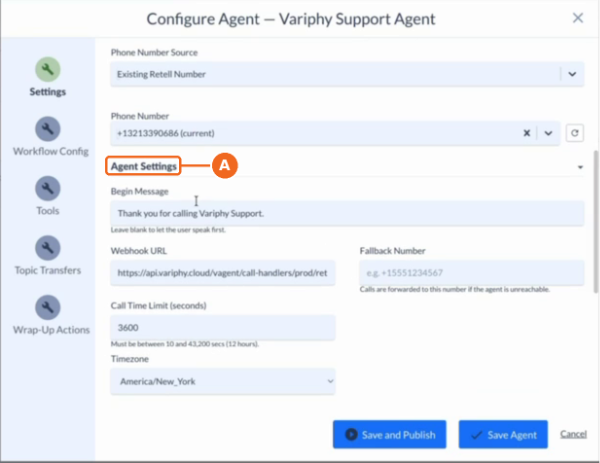
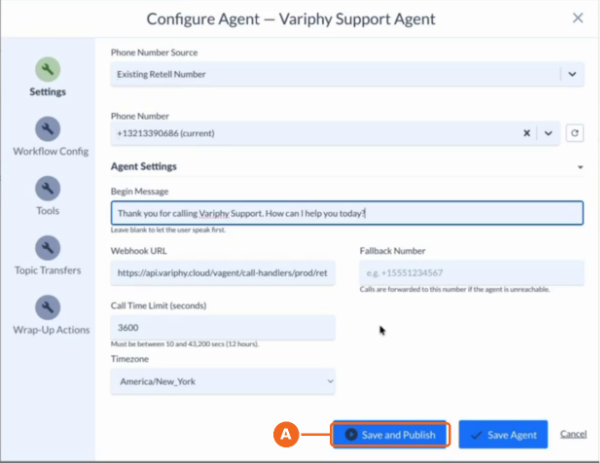
3. Scroll to Agent Settings.
A. On the Settings page of Configure Agent, scroll down to the Agent Settings section.
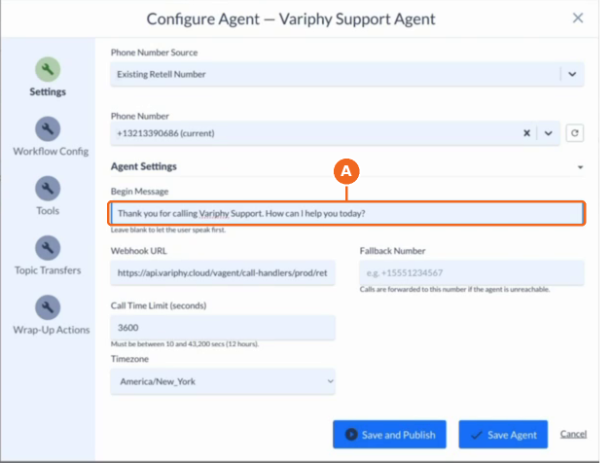
4. Enter your Begin Message.
A. In the Begin Message field, type the greeting you want callers to hear as soon as the agent answers (e.g., Thank you for calling Variphy Support. How can I help you today?).
- Leave the field blank to let the caller speak first.
5. Click Save and Publish.
A. Click Save and Publish to apply the new greeting to your agent.
Still Need Help?
Email our support team at support@variphy.com or click the button below to access our ticket portal.
Please provide details about your question or issue, including any applicable screenshots, reports, or Variphy application log files.
